Zerto
Overview
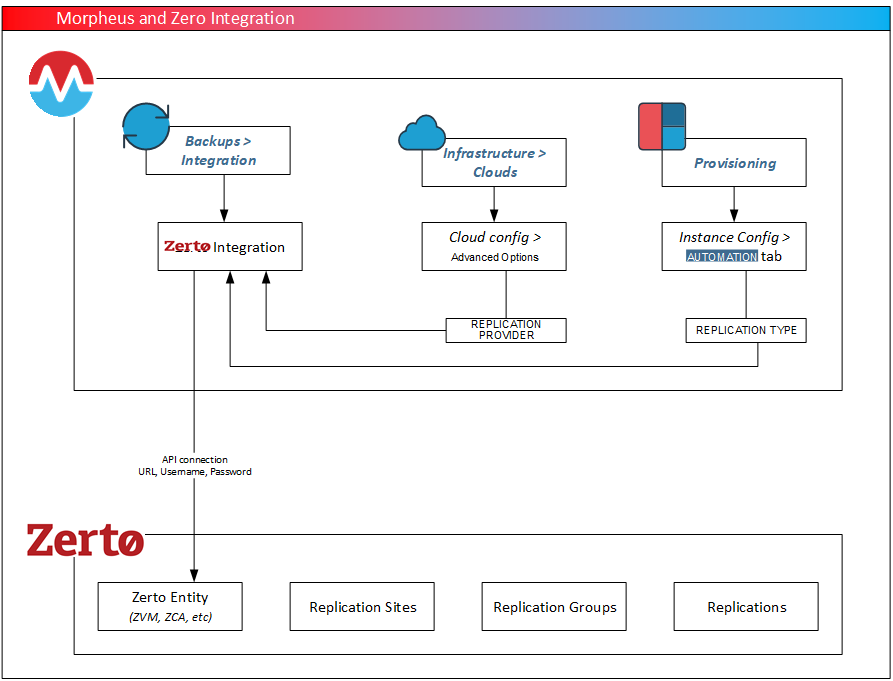
By integrating HPE Morpheus Software and Zerto, HPE Morpheus Software will automatically bring in your pre-existing Zerto replication groups as well as allow you to create and edit replication groups from within HPE Morpheus Software UI. Additionally, the Zerto integration can be set as the replication provider to existing compatible Clouds (such as VMware vCenter Clouds) to allow new workloads to be added to replication groups. If needed, new replication groups can also be created at provision time with the newly provisioned VMs added to them. The Zerto integration detail page also provides summary details for the integration as well as listing out replications and replication sites which are available to use with replication groups.
HVM Support Boundary
The integration evidence bundled with this documentation establishes the workflow for compatible Clouds such as VMware vCenter. It does not establish Zerto disaster recovery support for HVM, including HVM version compatibility, replication setup, failover, test failover, failback, or recovery limitations. The presence of HVM and Zerto as separate product capabilities is not an interoperability claim.
Do not select an HVM Cloud as a Zerto replication provider unless HPE and Zerto supply a current interoperability statement and version-specific procedure. Until that evidence is available, configure only a Cloud type documented as compatible and use the qualified Zerto version in v9.1.0 Compatibility & Breaking Changes. Zerto infrastructure configuration and recovery-plan operation remain governed by Zerto documentation; this page covers only the HPE Morpheus Software integration boundary.
Adding a Zerto Integration
Navigate to Backups > Integrations
Select + ADD
Select Zerto
Fill in the following:
- Name
A friendly name for the integration in HPE Morpheus Software
- Enabled
When marked, the integration is enabled and made available for consumption in HPE Morpheus Software
- API URL
API URL for the Zerto Virtual Manager (ex.
API URL: https://xx.xx.xx.xx:9669)- Username
Username for an admin Zerto service account
- Password
Password for the provided user (encrypted in HPE Morpheus Software).
- Visibility
- Sets Multi-Tenant Visibility
- Private
Restricts integration access to users in the current Tenant (subject to additional RBAC settings)
- Public
The integration is accessible to all Tenants (option available to Master Tenant users only)
Once complete, click SAVE
Note
In addition to manually entering username and password credentials in this modal, users also have the option to use a stored username/password credential set, or manually enter credentials and have them stored for later use in the HPE Morpheus Software secure credential store. See the CREDENTIALS configuration in the add/edit integration modal for all of these options.
Once the integration is created, you can click into the integration detail page to see existing replication groups, summary data, and other information about replications and replication sites.
Setting a Replication Provider
With the integration created, Zerto can be added as the replication provider for compatible Clouds. Edit an existing Cloud (click the EDIT button from the Cloud detail page) and expand the Advanced Options section. In the dropdown for Replication Provider, select the Zerto integration. Finally, save the Cloud to commit the changes.
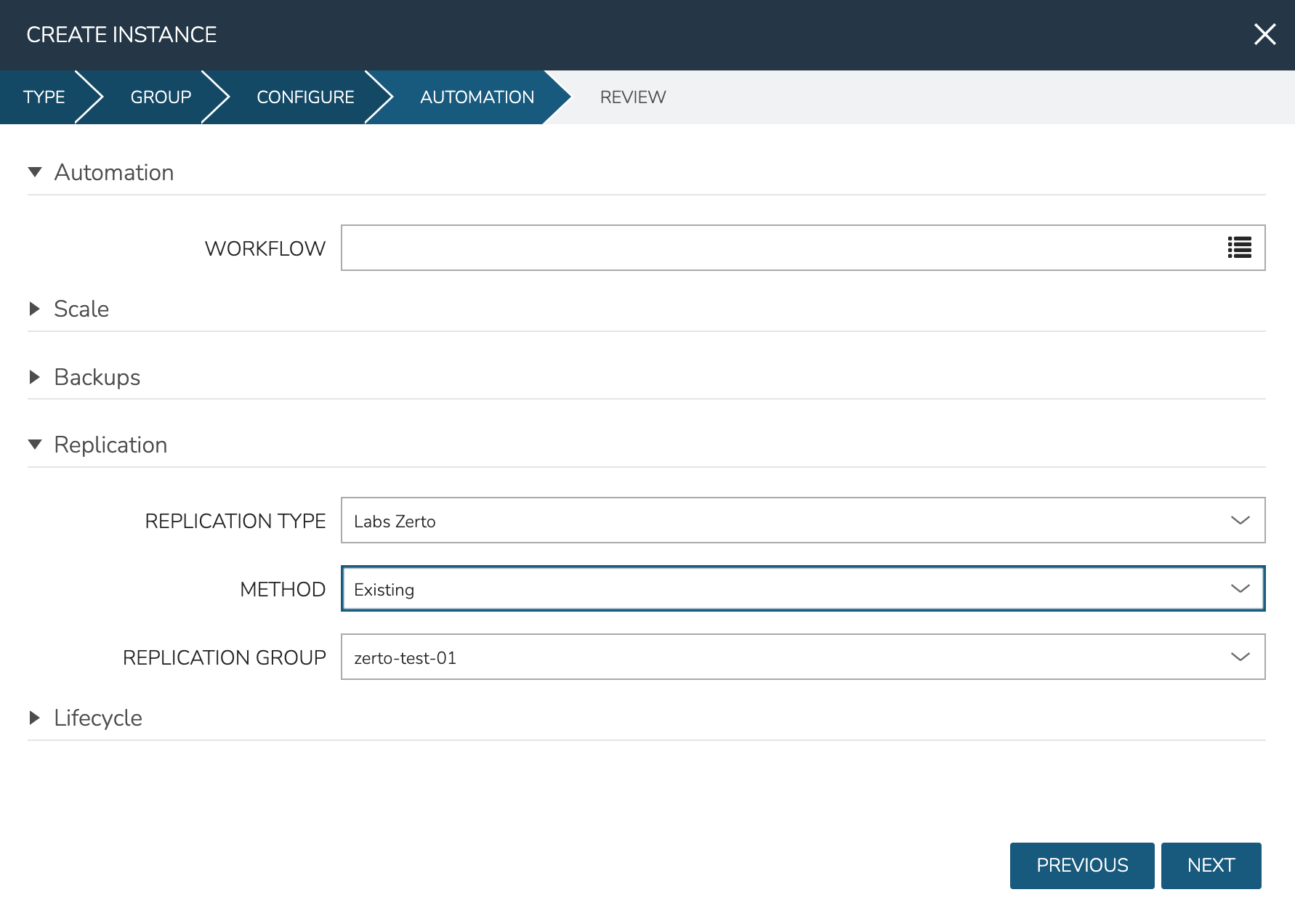
With the Cloud and the Zerto integration associated, you will now see additional replication options at provision time. When provisioning to the associated Cloud in the future, expand the Replication section from within the AUTOMATION tab of the provisioning wizard. Here you have the option of adding newly provisioned VMs to an existing replication group. Additionally, you may also create a brand new replication group from within the provisioning wizard itself if a new group is needed.