Working with Virtual Machines
The Virtual Machines page lists every VM defined on the host and is the starting point for power actions and consoles.
Virtual Machine List
The list shows host-wide counts (Total, Running, Stopped, Paused, and Suspended) above a table:
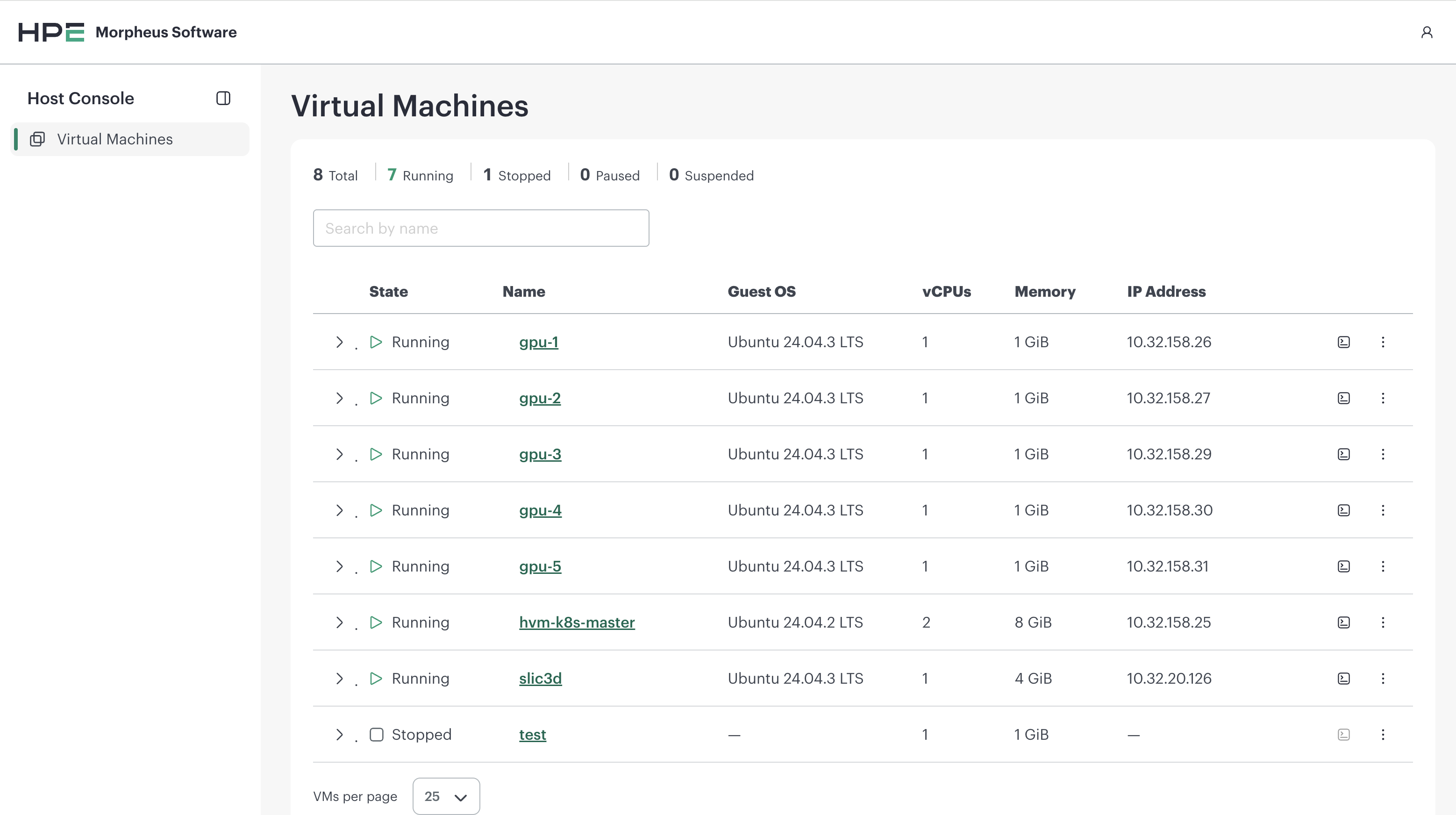
Column |
Description |
|---|---|
State |
Current power state — Running, Stopped, Paused, Suspended, Idle, Shutting down, or Unknown |
Name |
VM name as defined in libvirt |
Guest OS |
Operating system reported by the guest |
vCPUs |
Number of virtual CPUs |
Memory |
Allocated memory |
IP Address |
Primary guest IP address |
A value the host cannot report (for example, an IP address for a stopped VM) is shown as an em dash (—).
Search by name filters the list on the host and resets to the first page.
Page size can be set to 25, 50, or 100 rows.
Note
If the host’s virtualization service is unavailable, the page reports an error rather than an empty list. Confirm libvirt is healthy on the host — for example, virsh list --all should return without error.
Each row provides:
Open Console — opens the VM’s graphical console (enabled when the VM is Running)
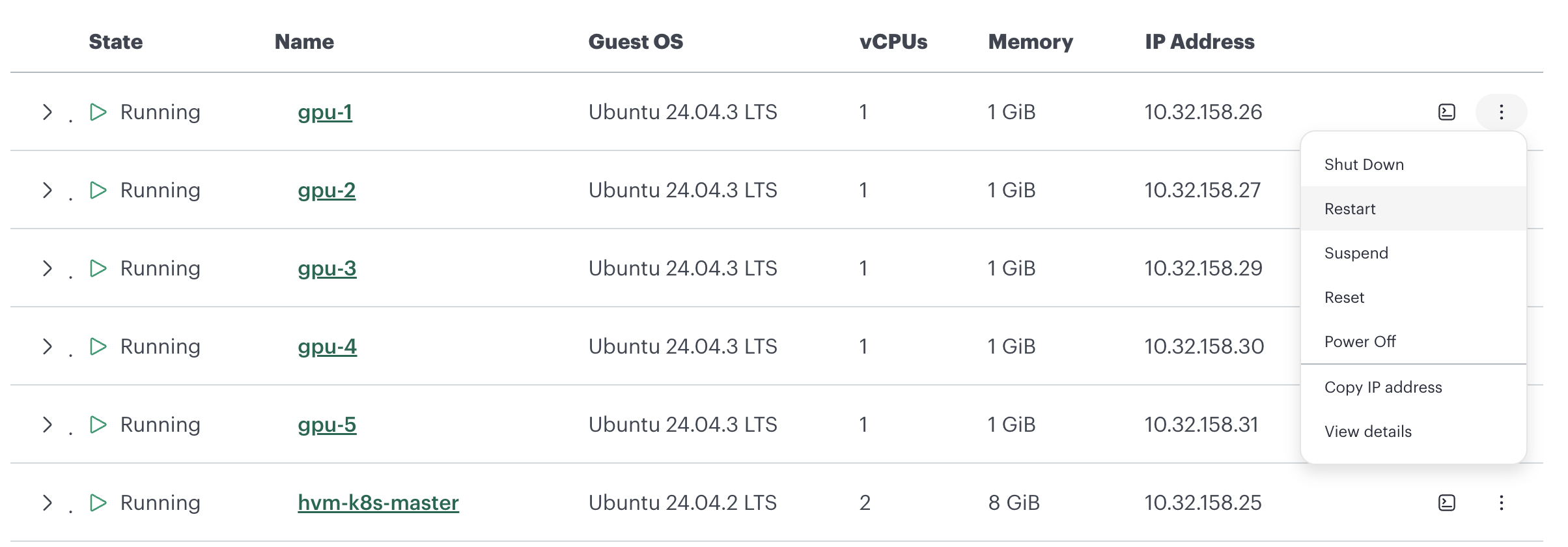
A power-action menu (see Power Actions)
Copy IP address — copies the primary IP to the clipboard
View details — opens the VM detail view
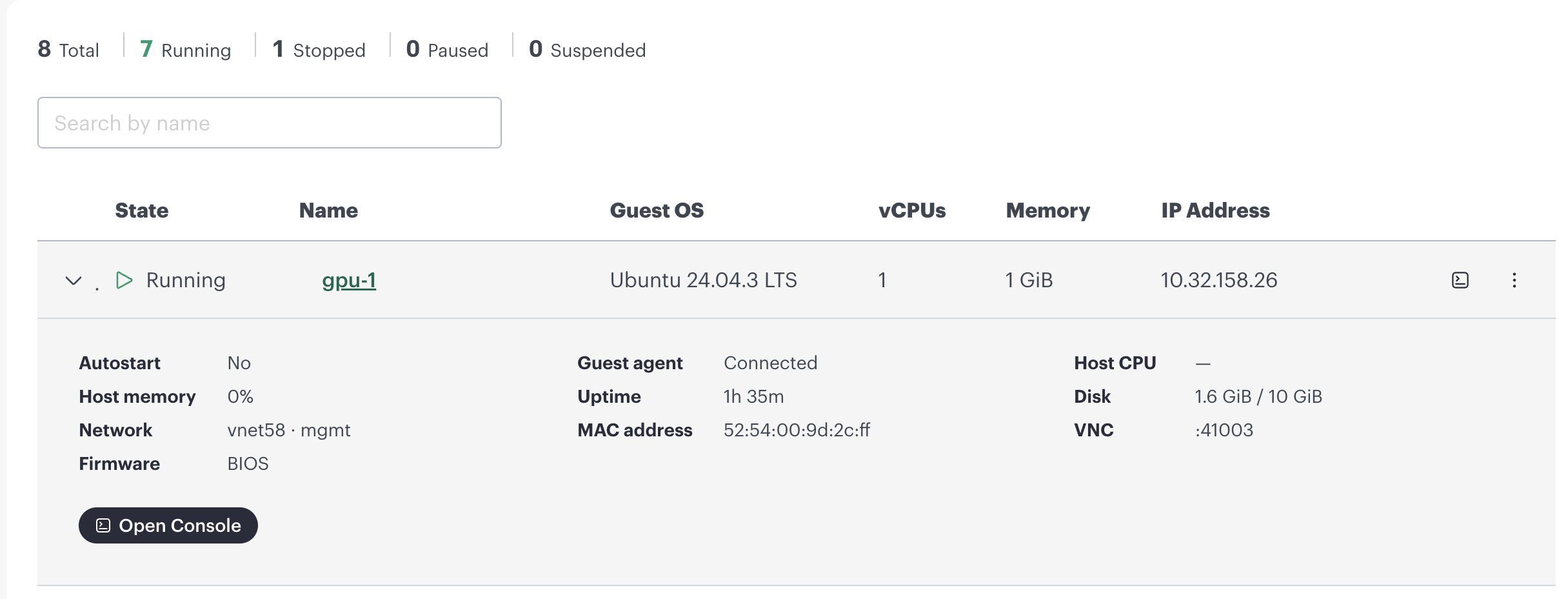
Expanding a row reveals a summary of the VM — autostart, host memory and CPU, network, firmware, guest-agent status, uptime, MAC address, disk usage, and VNC port — along with an Open Console button.
Virtual Machine Details
The detail view has two tabs:
Summary — state, guest OS, vCPUs, memory, and identifiers
Interfaces — each guest network interface with its name, MAC address, and IP address(es)
Power Actions
The actions available for a VM depend on its current state:
Action |
Available When |
Description |
|---|---|---|
Power On |
Stopped |
Start the VM |
Shut Down |
Running |
Graceful ACPI shutdown from within the guest |
Restart |
Running |
Graceful ACPI reboot |
Suspend |
Running |
Save the VM’s state to memory and pause it |
Resume |
Paused / Suspended |
Resume a suspended VM |
Reset |
Running |
Hard reset — immediate reboot without notifying the guest |
Power Off |
Running / Paused / Suspended |
Immediately cut power to the VM |
Warning
Reset and Power Off stop the VM immediately without a graceful shutdown and can cause data loss. The console asks you to confirm before running them.
Power On and Resume run immediately. Every other action asks for confirmation first.
After you start an action the console shows a toast with the result:
Result |
Meaning |
|---|---|
The action could not be confirmed |
The command was sent but the host did not confirm the new state in time. Check the list before retrying, and avoid re-running Reset. |
That VM is no longer in a state that allows this action |
The VM’s state changed before the action ran |
That VM no longer exists on this host |
The VM was removed from the host |